

Overview
Knowledge Base integration allows your voice agent to access your company documents, FAQs, product manuals, and other information sources during conversations. Using RAG (Retrieval Augmented Generation), the agent automatically retrieves relevant information and incorporates it into responses. Best for:- Customer support with product documentation
- Internal helpdesks with company policies
- Technical support with manuals and guides
- Any agent that needs accurate, up-to-date information
How It Works
Step 1: Create a Knowledge Base
Upload Documents
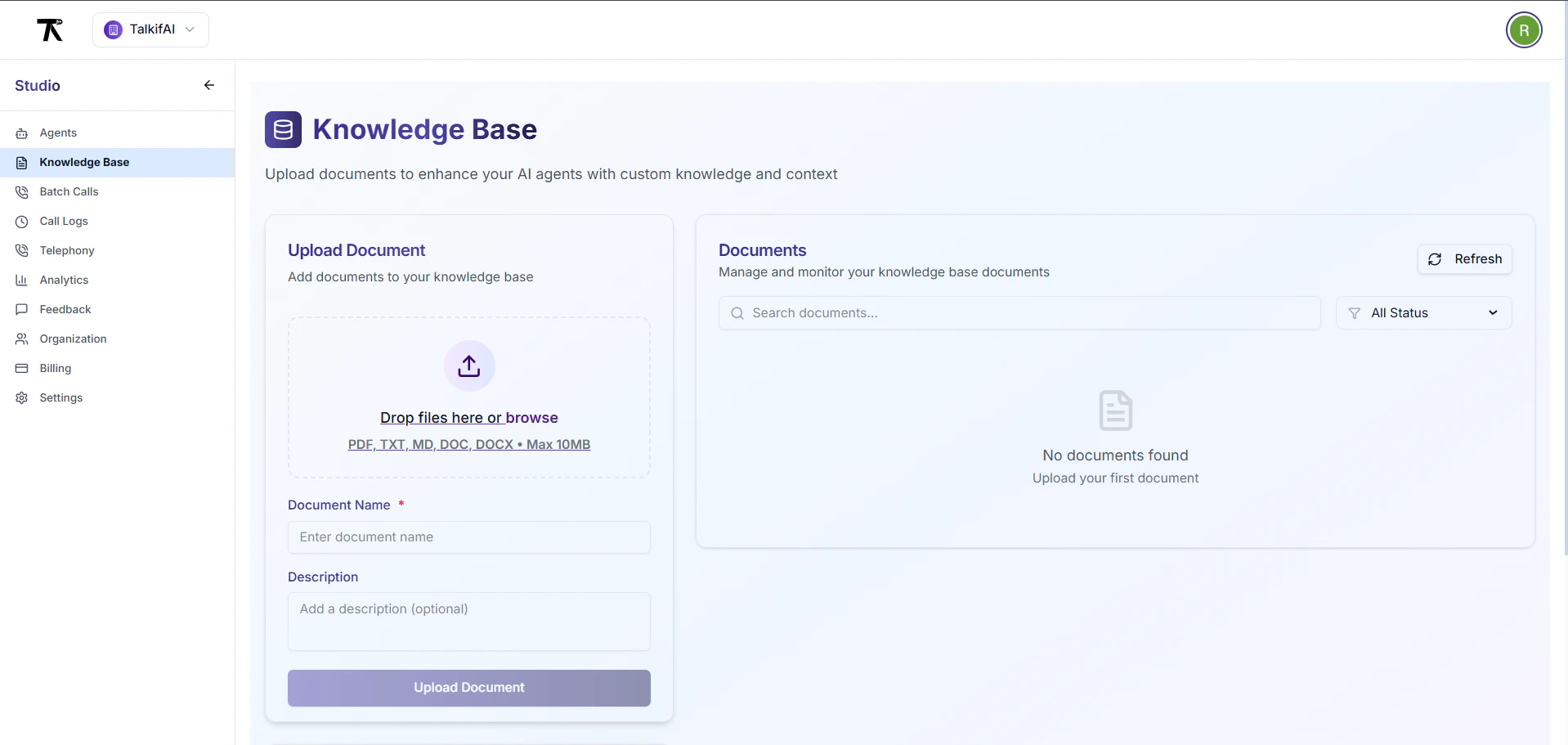
- Go to Studio → Knowledge Base → Create New
- Fill in the details:
- Click Upload & Process
Supported file types: PDF, TXT, DOCX, MD, CSV
Max file size: 50MB per file (actual limit may vary by deployment)
Processing time: Typically 1-5 minutes depending on file size and system load
Chunk defaults: 1000 characters with 200 character overlap (configurable)
Document Processing
After upload, your document is automatically:- Chunked into smaller pieces based on your settings
- Embedded using vector embeddings
- Indexed for fast similarity search
- Status changes from
processing→ready
Step 2: Link Knowledge Base to Agent
Link via Studio
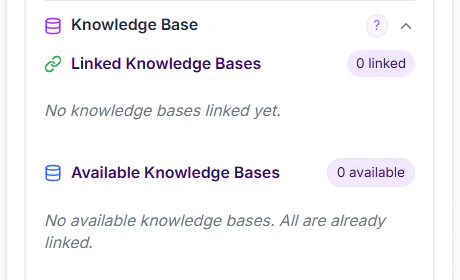
- Go to Agent Settings → Knowledge Base
- Click Link Knowledge Base
- Select from available knowledge bases
- Configure retrieval settings (see below)
- Click Link
Link via API
Step 3: Configure Retrieval Settings
After linking, configure how the agent searches your knowledge base:Chunks to Retrieve
Default: 5 chunksSimilarity Threshold
Default: 0.7 (range: 0.0 - 1.0)
How it works:
- User question is converted to vector embedding
- System searches for chunks with similarity score > threshold
- Higher threshold = more precise but may miss relevant info
- Lower threshold = more results but may include noise
Update Settings via API
Step 4: Update Agent System Prompt
Add instructions to use the knowledge base:Multiple Knowledge Bases
You can link multiple knowledge bases to a single agent: Example Setup:- Agent searches all linked knowledge bases simultaneously
- Results are ranked by similarity score across all sources
- Top N chunks are retrieved (based on “chunks to retrieve” setting)
Unlink Knowledge Base
Via Studio
- Go to Agent Settings → Knowledge Base
- Find the linked knowledge base
- Click Unlink (trash icon)
- Confirm unlinking
Via API
Unlinking doesn’t delete the knowledge base — it just removes the connection. The KB can be linked to other agents or re-linked later.
Best Practices
Organize by Topic
Create separate knowledge bases for different topics (e.g., “Product Docs”, “HR Policies”, “Technical Guides”). This makes retrieval more accurate.
Keep Documents Updated
Regularly update your knowledge base with current information. Outdated docs lead to incorrect answers.
Use Clear Structure
Documents with clear headings, sections, and formatting chunk better than unstructured text.
Test Retrieval
After linking, test with real questions. Adjust chunks/threshold if answers are incomplete or irrelevant.
Start Conservative
Begin with 5 chunks and 0.7 threshold. Increase chunks if answers lack context, decrease if responses are too long.
Remove Duplicates
Duplicate information across KBs confuses retrieval. Keep each piece of info in one place.
Troubleshooting
Agent isn't using the knowledge base
Agent isn't using the knowledge base
Check:
- Is KB status
ready(notprocessing)? - Is KB actually linked to the agent?
- Does system prompt instruct agent to use KB?
- Are chunks being retrieved? (Check agent logs)
Answers are irrelevant or off-topic
Answers are irrelevant or off-topic
Problem: Similarity threshold too low or chunks too large.Fix:
- Increase threshold to 0.8 or 0.85
- Reduce chunk size to 800 characters
- Check if KB contains relevant content
Agent says 'I don't have that information'
Agent says 'I don't have that information'
Problem: Information not in KB or threshold too high.Fix:
- Lower threshold to 0.6 or 0.65
- Add the missing document to KB
- Increase chunks to retrieve
Responses are too long or repetitive
Responses are too long or repetitive
Problem: Too many chunks retrieved.Fix:
- Reduce chunks to retrieve (from 10 to 5, for example)
- Add to prompt: “Keep responses concise — maximum 3 sentences”
API Reference
List Linked Knowledge Bases
List All Knowledge Bases
Next Steps
Create Knowledge Base
Upload your first document and start building your knowledge base.
Test Agent with KB
Test your agent with questions that require knowledge base lookup.
Custom Functions
Combine KB with custom functions for even more powerful agents.